

The rehaut is the inner wall visible between the edge of a watch dial and the crystal. It is often sloped. A chapter ring provides a circular scale around the dial, often for minutes or seconds. When the scale sits on the sloped surface, a product listing may use “chapter ring” for that whole visible inner ring.
Rehaut, chapter ring and bezel
Start in the centre and work outward. The dial is the face behind the hands. The rehaut frames its edge under the crystal. Fine marks on that surface can form a chapter ring. A visible scale can also sit on the dial itself. The external bezel surrounds the crystal. On a conventional dive watch, its numbered elapsed-time scale can rotate independently of the markings beneath the glass.
The Invicta glossary describes the rehaut as an inner flange that can carry markings. Some watches also have a separately adjustable internal timing ring. Check the instruction manual if a listing uses “inner bezel” to describe a movable scale.
Compare the inner ring on real watches
| Exact configuration | Where the colour sits | What to look for |
|---|---|---|
| WD1969 PRO · Black Dial / White Chapter Ring | White ring around a black dial | The pale sloped surface under the crystal has fine black marks. |
| WD1969 PRO · Black Dial / Coral Blue Chapter Ring | Coral-blue ring around a black dial | The colour forms a narrow frame while the central dial stays black. |
| WD1969B PRO · Sunray Blue | Sunray blue across the dial | The blue finish extends behind the hands and markers. |


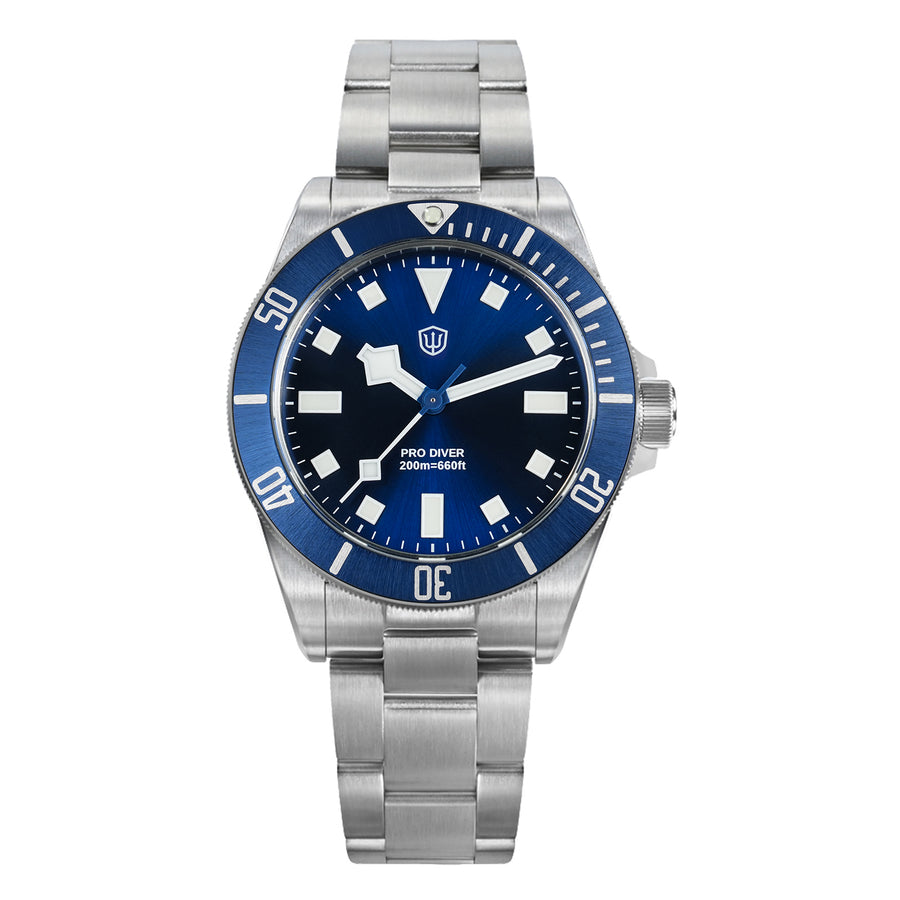
What to check in a product photo
- Locate the colour. A colour name in an option can refer to the dial, inner ring or outer bezel. Check where that colour begins and ends.
- Read the minute marks. Follow the minute hand toward the nearest scale. See if the marks are easy to pick out at your usual viewing angle.
- Check alignment straight on. An oblique photo can make a raised scale appear offset. Compare the 12 o’clock index with the adjacent marks from directly above before judging alignment.
For the dial itself, see our watch dial finishes guide. For the outer timing scale, see how to use a dive-watch bezel.


